November 15, 2023 - Rebalance and Advisor Settings

Editing portfolios made even easier.
REBALANCE
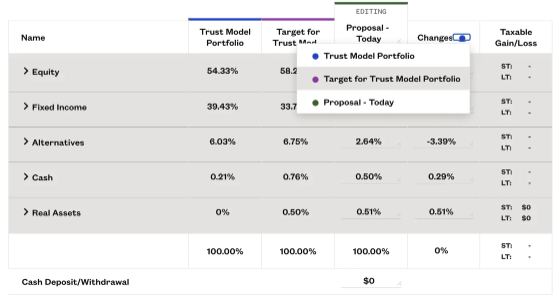
Editing Portfolios with the Changes Column
Editing a proposal, model, or target just got turbocharged. Now, you can select a column to base your changes on, making portfolio creation and editing even easier. Plus, it's clear how your portfolios compare to others on the risk report page.
Simply click the colored circle next to 'changes' and select the portfolio you would like to make changes relative to.
ADVISOR SETTINGS
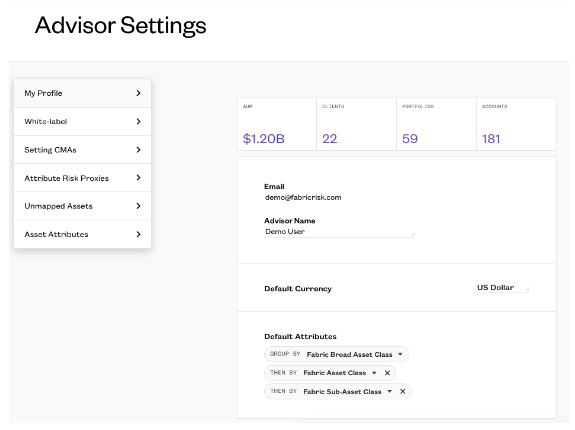
Set Multiple Layers of Default Attributes
Fabric allows you to set multiple layers of custom attributes as the default when looking at portfolios on the risk report page. Customize and sort the asset allocation table to gain better insights into your portfolios.
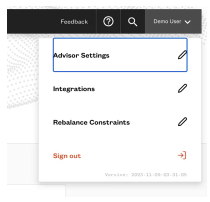
Simply go to Advisor Settings by clicking your name in the top right corner and clicking Advisor Settings. The 'My Profile' page will appear where update your default attributes.
Please sign in to leave a comment.
Comments
0 comments