January 12, 2024 - Customize the Report Page

CUSTOMIZE
Customize your insights
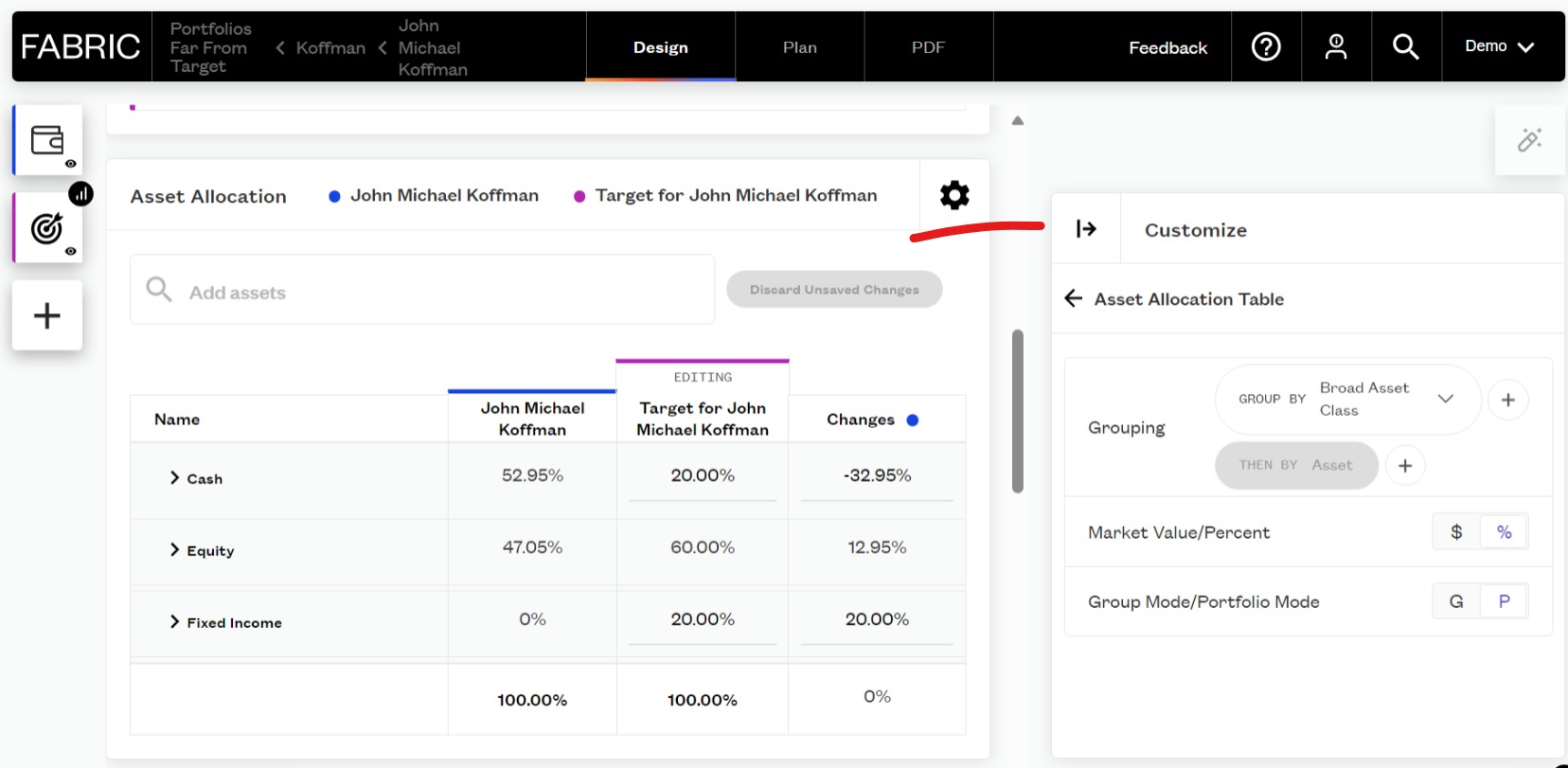
The settings for each chart, including options like toggling between $ and % or selecting which attributes are displayed, are now located in the customization tab, rather than directly on the report itself.
Here's how to harness this enhancement:
- To customize a chart, simply click the settings cog on the specific report you want to modify.
- Alternatively, navigate to the customization tab and click the settings cog there.
This change empowers you to showcase more valuable information directly on the report page, ensuring your clients receive the insights that matter most to them.
Discover the full range of customization options in our Knowledge Base article on Customizing Your Reports.
ENHANCE WORKFLOWS
Customize the Design
On the risk report page, you have the power to reorganize your reports, add duplicates, remove unnecessary ones, and refine the metrics for each report, all with the aim of crafting a narrative that resonates with your clients.
To dive deeper into the customization possibilities, let's explore an example. Say you want to emphasize attribution analysis in your reports. Follow these steps:
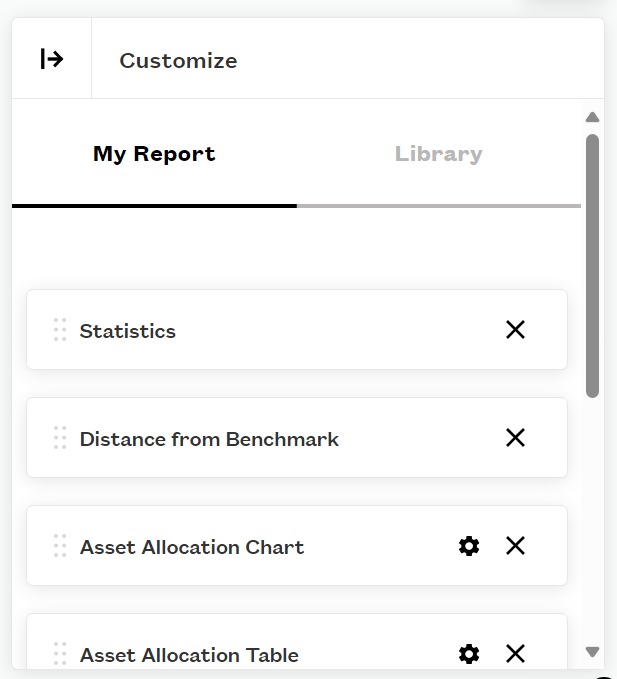
- On the risk report page, click the settings cog.
- Rearrange your reports by dragging and dropping them into your preferred order.
- Duplicate charts by clicking the plus in the library tab.
- Customize the metrics for each report to showcase the insights you need.
To learn more about customizing your reports, check out our Knowledge Base article on Creating Custom Report Views.
EDIT REPORTS
Streamline your workflow
With Fabric's latest update, streamlining your workflow and staying organized has never been easier. You can now fine-tune your reports and save specific views tailored to different workflows. But what's a workflow, you ask? It's your monitor, workspace, and report, all intertwined to help you efficiently achieve your and your clients' goals.
Here's how to do it:
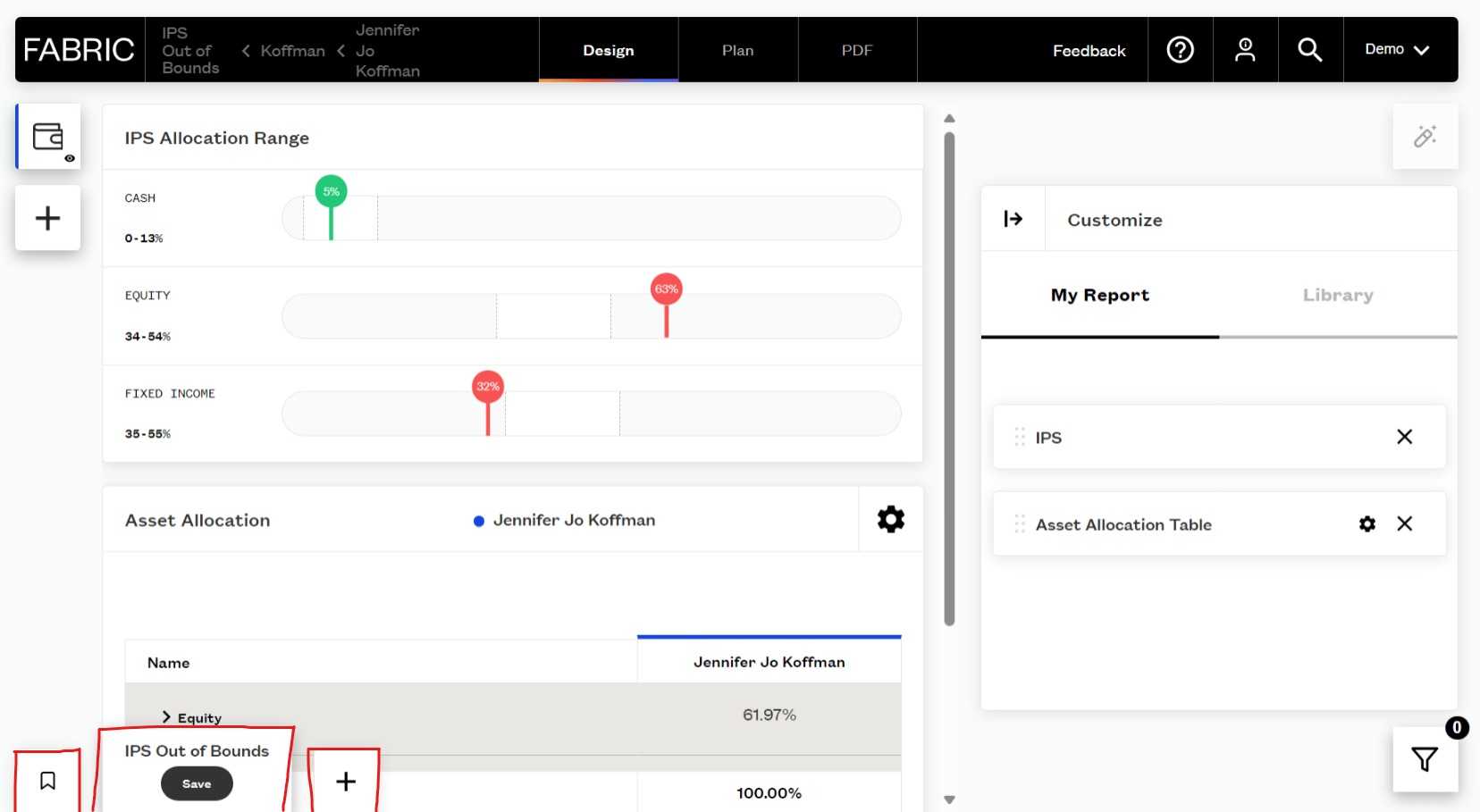
- On the risk report page, select the reports you'd like to include in your workflow.
- Arrange them to your liking.
- Save your changes, and voilà! You've tailored your report to tell the Fabric story your way.
This means whether you're discussing asset allocation, attribution, or risk, you can effortlessly switch between views that matter most for various aspects of your advisory practice. It's all about keeping your workspace organized and efficient.
For detailed instructions on creating and managing workflows, visit our Knowledge Base article on Saving Page Views to Workflows.
-

Great workflow, thank you.
0
Please sign in to leave a comment.
Comments
1 comment